Right or wrong is the wrong measurement
Investing education apps grade answers. Get the quiz right, earn the streak, move on. But the behavior that actually costs beginners money, selling a dip that was ordinary variance, doubling down on a hot streak, is not a knowledge failure. It is a calibration failure: confidence out of proportion to understanding.
For a proposed Robinhood sub brand the stake is concrete. An investor who panic sells their first dip does not come back. Teaching content is table stakes; the product's real job is producing investors whose confidence survives contact with a live market.
Measure confidence next to accuracy
The structural decision that shaped both of my tabs: every check-in captures two signals, the answer and how sure you were. Answering is a tap; confidence is a press and slide, from just guessing to certain. Two signals produce four states, and each state gets its own treatment in the product.
Earned confidence. Locked concepts open from here.
Knows more than they trust. Needs reps, not review.
Honest gap. Ordinary reteaching handles it.
The expensive one. Surfaced first, everywhere.
Confidence is one gesture, not a second question
A separate "how sure are you?" screen after every answer would double the cost of a check-in and users would settle into a default. Folding it into the answer gesture, drag your answer, further the surer you are, keeps the honest signal and adds no extra step. A tap only path (guessing, unsure, sure) keeps it accessible. The screen on the right is live: try it.
Understanding as a map, not a course list
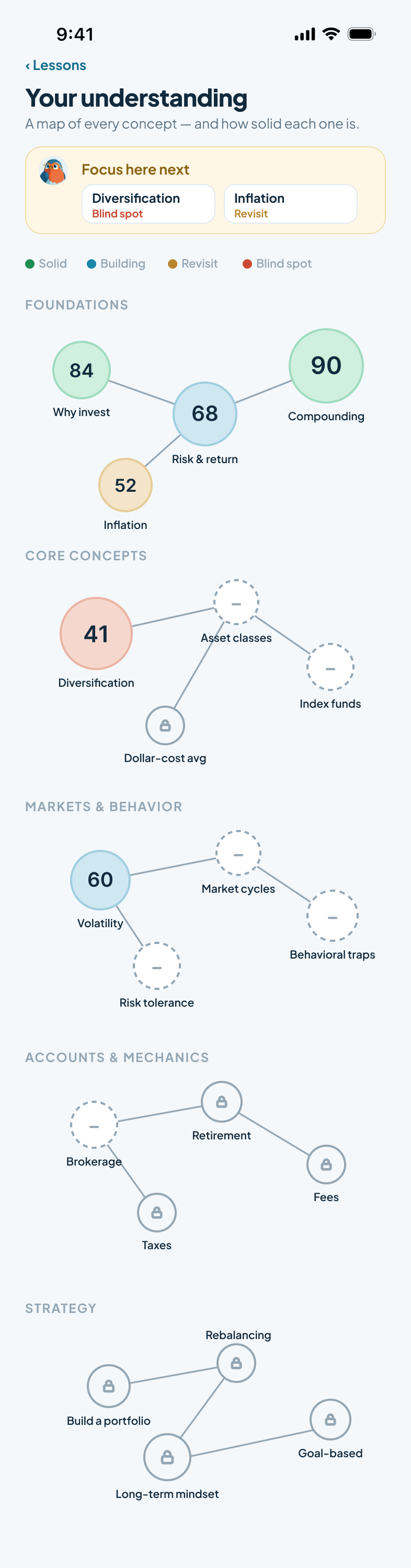
Courses imply completion: finish the video, you know the thing. The Lessons tab instead treats understanding as territory. Every concept is a node with a calibrated score, concepts unlock as their foundations firm up, and the map tells you where to focus next, always blind spots first.
The map is the progress screen
Foundations, core concepts, markets and behavior, mechanics, strategy. Each node carries one score built from accuracy and confidence together. Dashed nodes are unmeasured, locked nodes wait on prerequisites. The gold banner does the coaching: focus here next.
A plan that adapts out loud
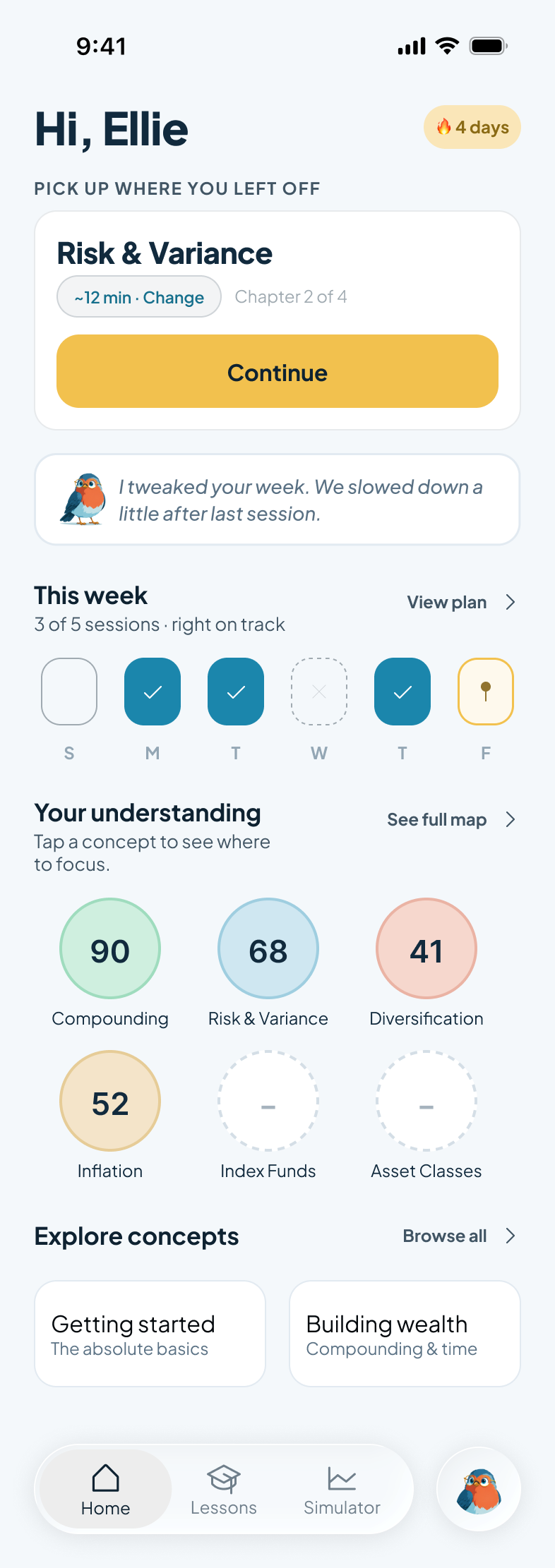
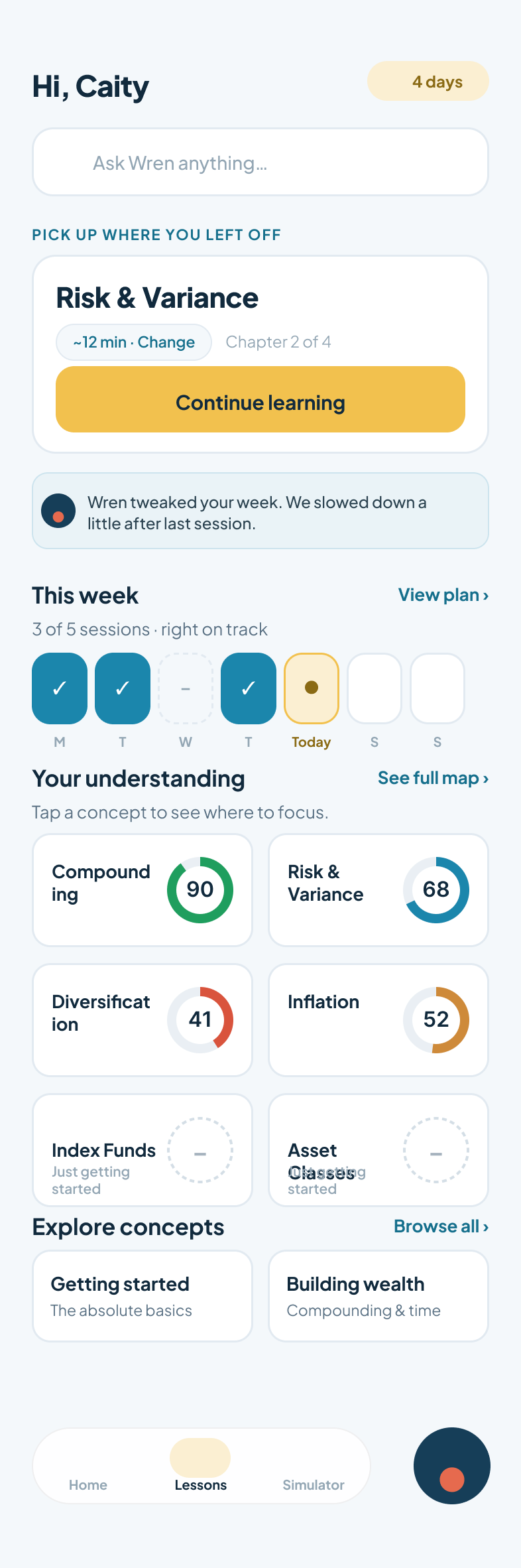
The home screen holds one continue action, the week's sessions, and the map's top signals. When the plan changes, Wren says so and says why: "I tweaked your week. We slowed down a little after last session." An adaptive plan that changes silently reads as broken; one that explains itself builds trust.
Four versions to earn one number
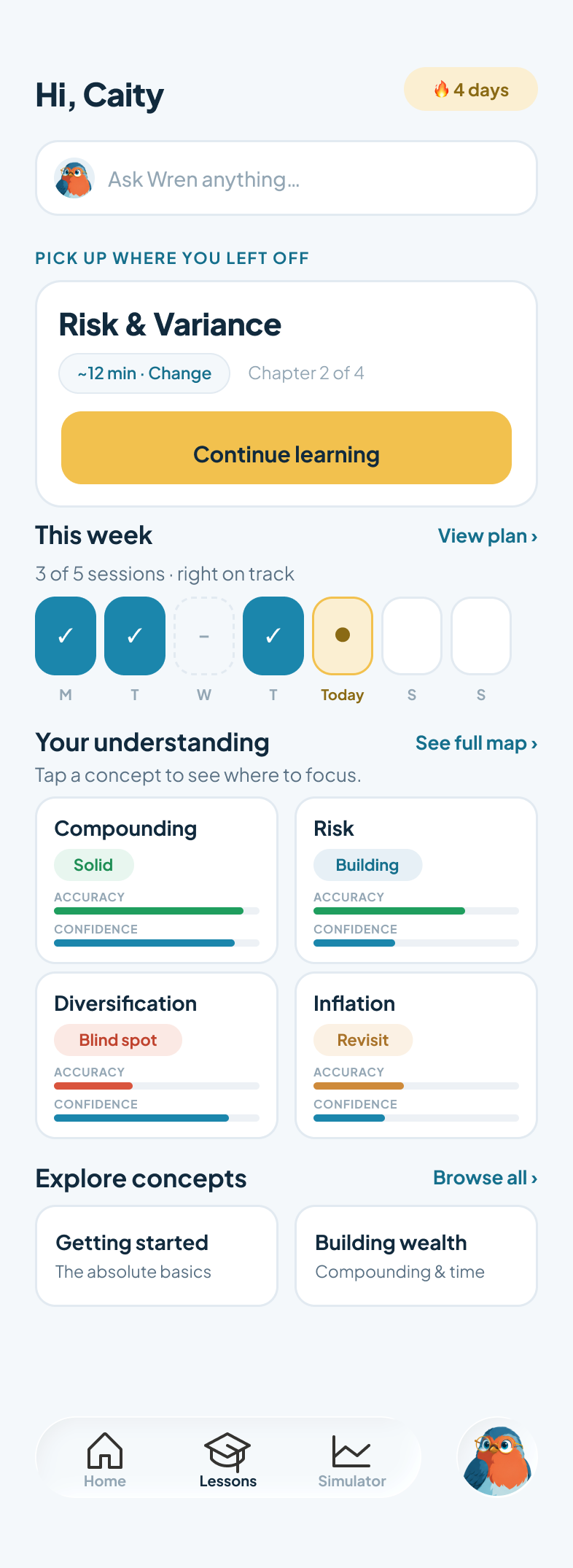
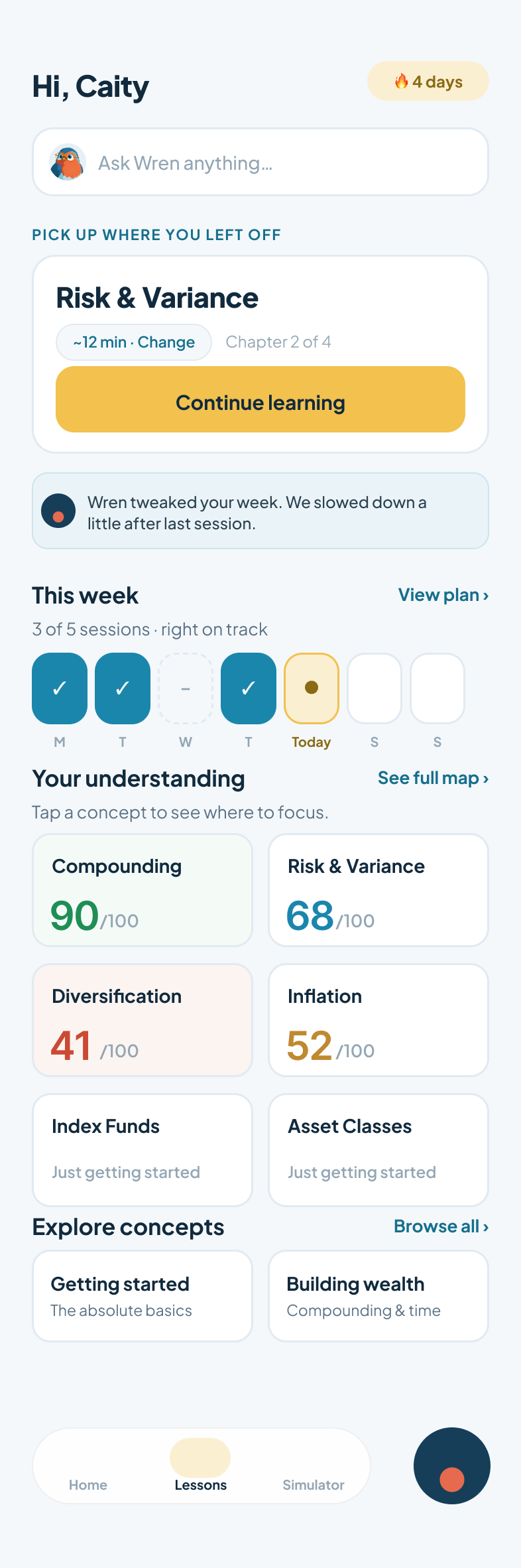
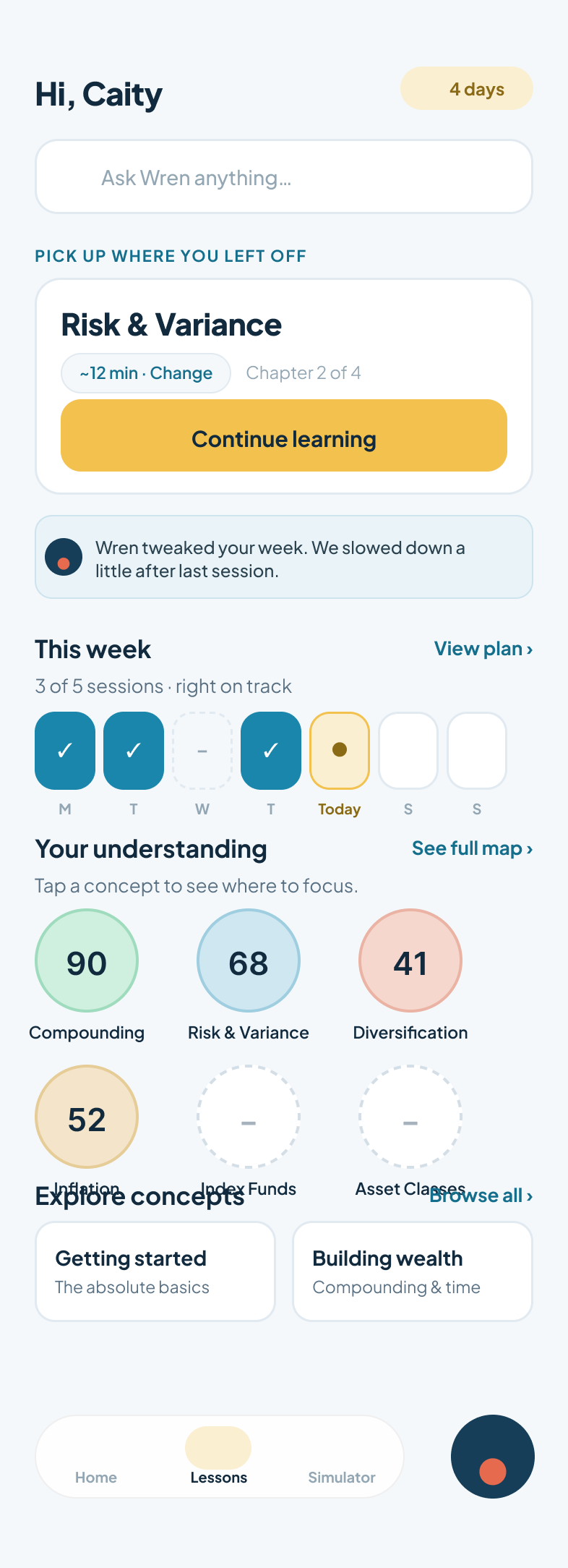
The first version told the whole truth: every concept card carried an accuracy meter and a confidence meter, plus a status pill. Honest, and heavy. Reading four bars to decide what to study is itself a cognitive tax, and the section most users need is the one signal the bars bury: what should I do next?
Where confidence meets a market
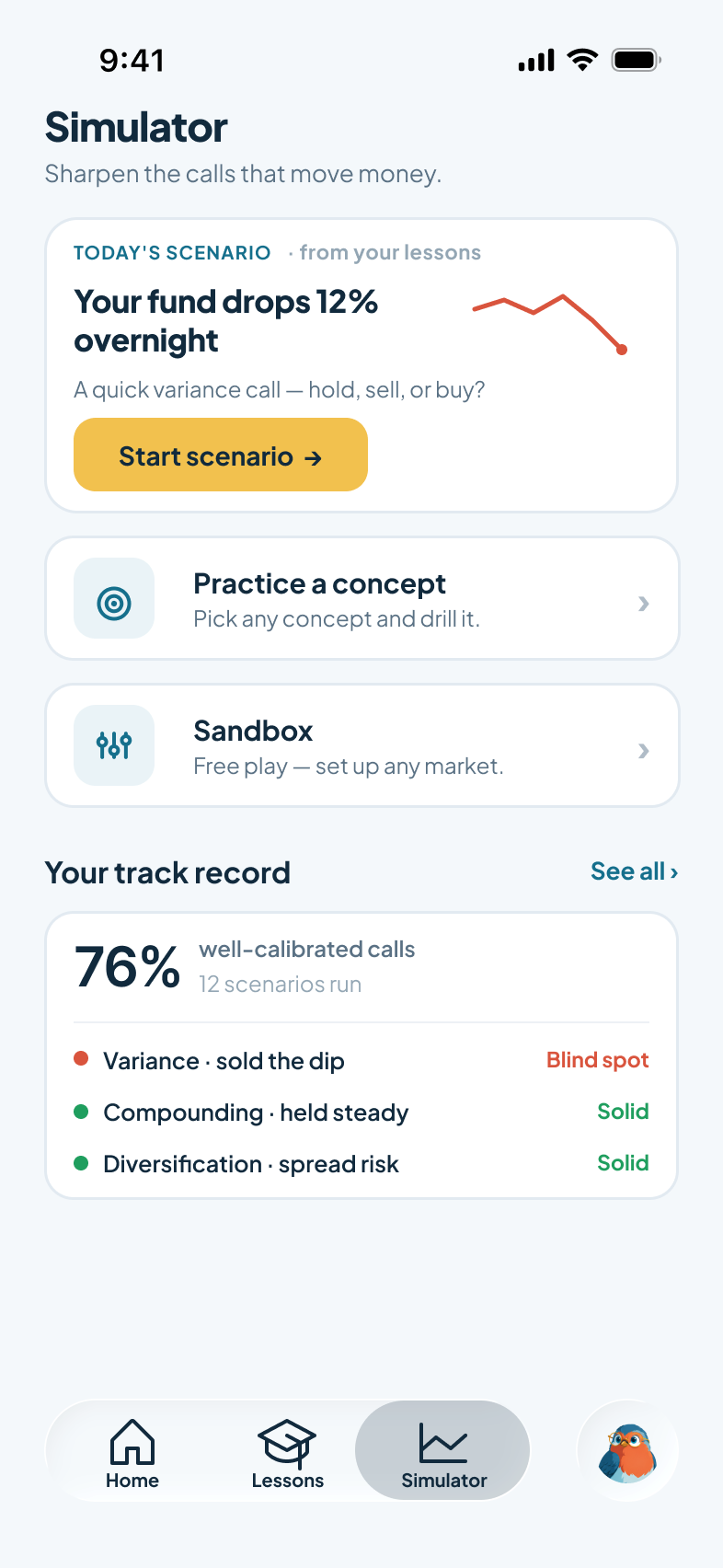
Lessons measure what you think you know. The Simulator checks it against a moving market, with zero real dollars. Scenarios are generated from your lesson state, so the market you practice against is aimed at your weakest calibration, not a generic tutorial.
Three doors, one honest scoreboard
Today's scenario targets a live gap ("your fund drops 12% overnight," a variance call). Practice a concept drills anything on the map. Sandbox is free play. The track record on this screen is the product's whole thesis in one stat: not returns, but well calibrated calls.
The market moves at your pace
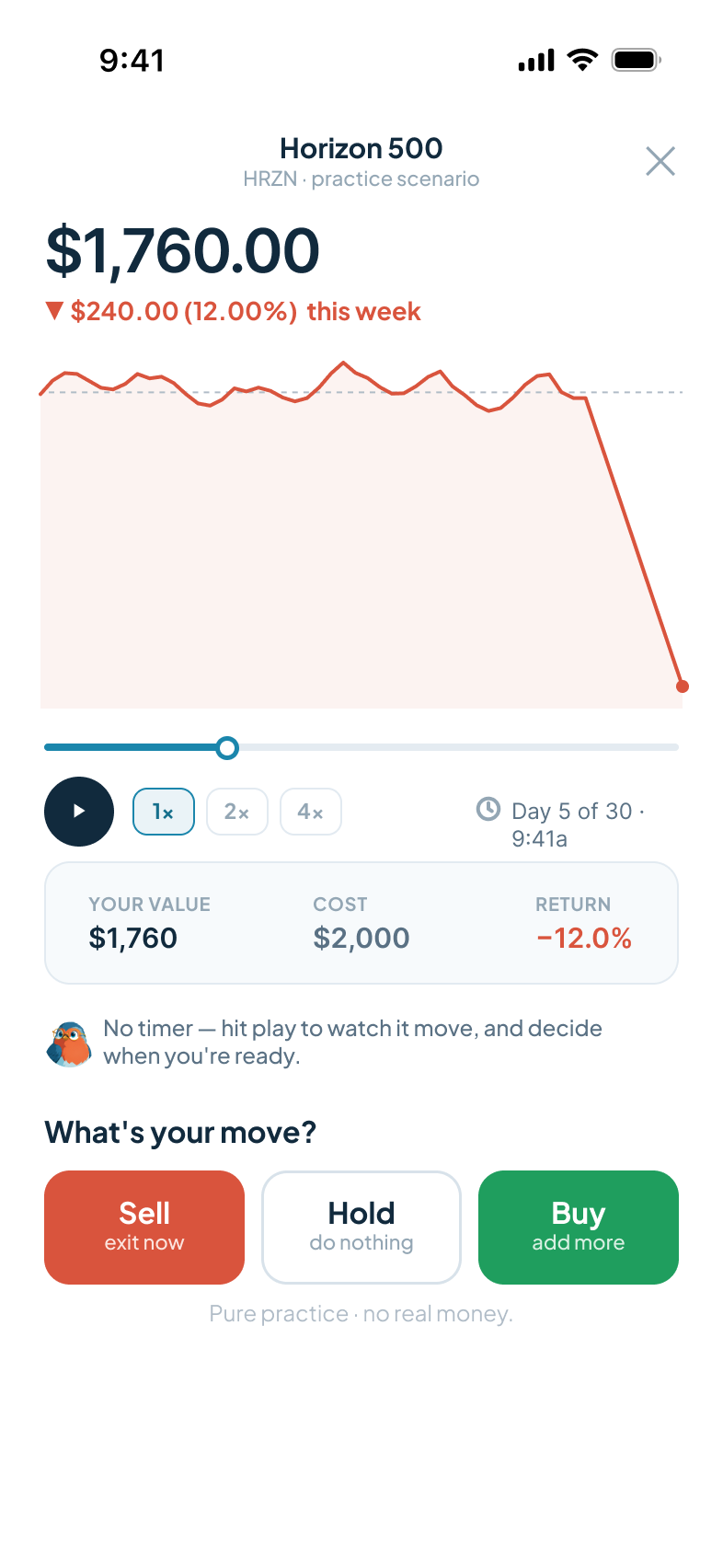
Hit play and watch the fund move day by day, at 1x, 2x, or 4x. No countdown, no pressure mechanics; the anxiety of a ticking timer teaches nothing about markets. When you are ready: sell, hold, or buy. Every call is pure practice, no real money, and the interface says so.
The outcome screen closes the loop
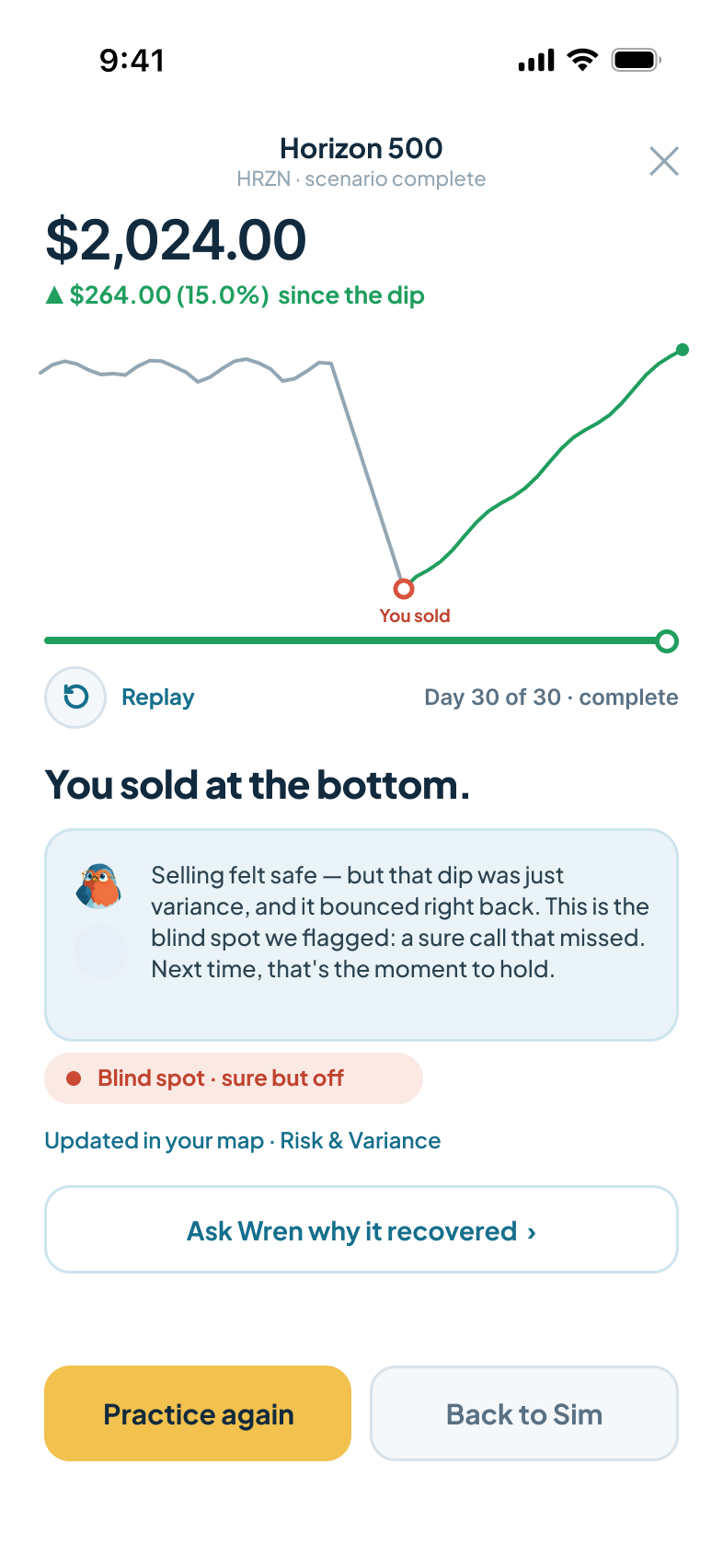
"You sold at the bottom." The replay shows the dip recovering past your exit. Wren names what happened, a sure call that missed, tags it as a blind spot, and writes it back to the concept map, which reshapes next week's plan. The mistake becomes curriculum.
What four weeks bought
A complete hi-fi system across both tabs: onboarding, an adaptive lessons plan, the calibrated concept map, check-ins with the confidence gesture, and a simulator that generates scenarios from lesson state and feeds results back. The calibration model, one framework carried through every screen, is what makes the two tabs one product rather than two features.